
Etsy Listing States Explained: From Draft to Deleted
Ever wondered what each Etsy listing state means—or how a listing moves from one to another? Here is the quick version.
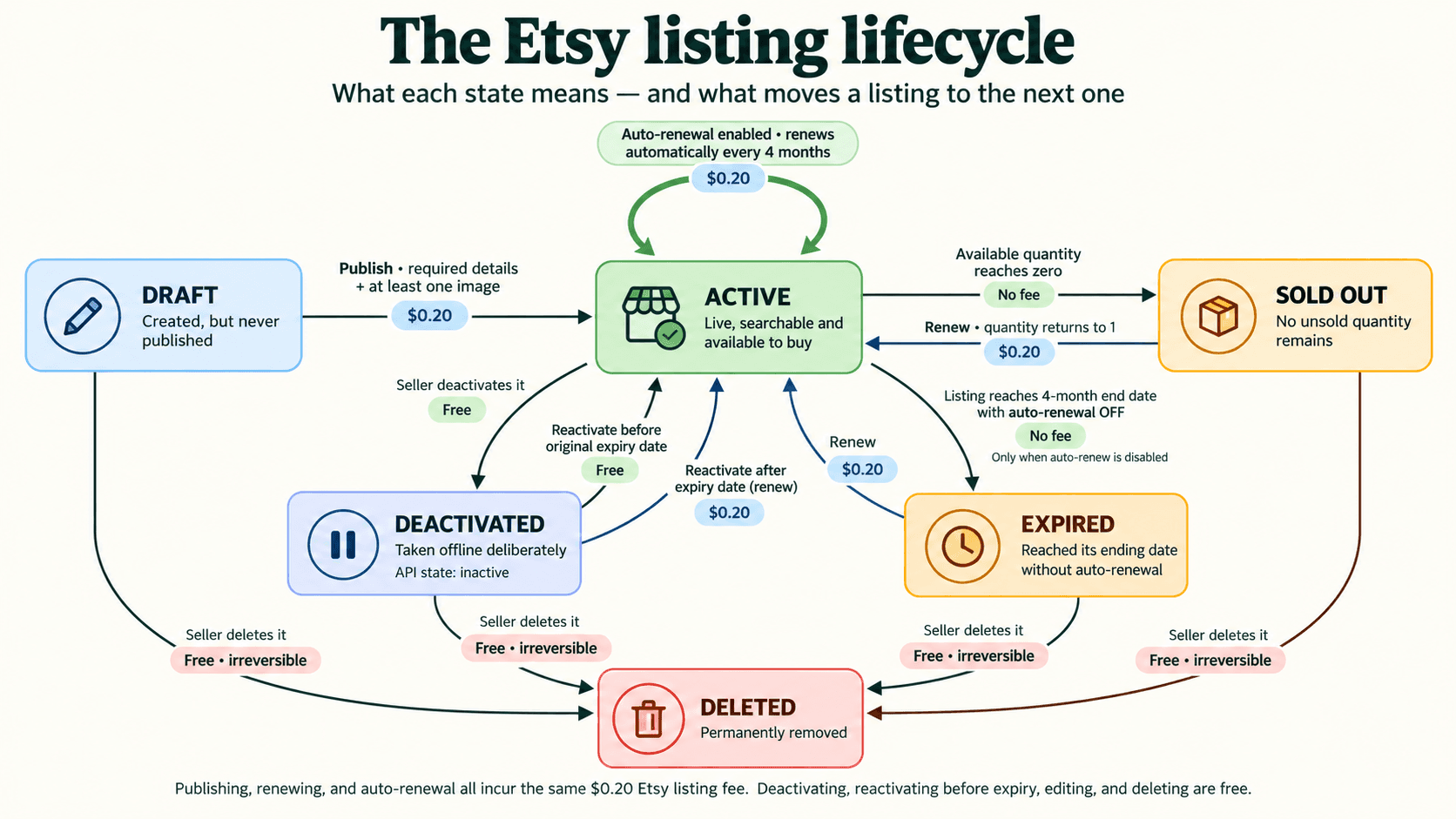
Did you ever wonder what all the Etsy listing states mean—and how a listing moves from one to another?
The names are fairly simple once you see the whole lifecycle. A listing can begin as a draft, become active, move out of view because it sold out or expired, and return to active when you are ready. Here is the quick, line-by-line explanation.
Draft
Created, but never published.
A draft is your working copy. You can add the title, description, price, photos and other details without making the item visible to shoppers. Publishing it moves the listing to Active and currently incurs Etsy’s standard listing fee.
Active
Live, searchable and available to buy.
This is the normal selling state. An active listing remains live until it sells out, you deactivate it, or its four-month listing period ends. With auto-renew enabled, Etsy renews it for another four months and charges the listing fee again.
Sold out
No unsold quantity remains.
A listing becomes sold out when its available quantity reaches zero. If you have more stock, you can renew it and return it to Active. Etsy currently charges its standard renewal fee when you do this.
Deactivated (shown as Inactive in Etsy)
Taken offline deliberately.
Deactivate a listing when you want to pause it without deleting it. It disappears from your shop but remains available in Shop Manager. If you reactivate it before its original expiry date, Etsy does not charge a new listing fee. After that date, it needs to be renewed and the renewal fee applies.
Expired
Reached the end of its four-month period without auto-renewal.
An expired listing is no longer available to buyers. Renewing it returns it to Active, gives it a new four-month period and incurs the standard renewal fee.
Deleted
Permanently removed from your listings.
Draft, deactivated, expired and sold-out listings can all be deleted. Treat deletion as irreversible: if you may need the listing again, deactivate it or keep a backup instead.
The useful routes to remember
- Draft → Active: publish the listing.
- Active → Sold out: the available quantity reaches zero.
- Sold out → Active: add stock and renew.
- Active → Deactivated: take the listing offline yourself.
- Deactivated → Active: reactivate it; this is free before the original expiry date.
- Active → Expired: let the four-month period end with auto-renew turned off.
- Expired → Active: renew the listing.
- Any non-active state → Deleted: delete it when you are certain it is no longer needed.
At the time of writing, Etsy’s listing and renewal fee is $0.20 USD, while editing, deactivating and deleting do not carry a listing fee. Etsy can change its fees, so check its current Fees & Payments Policy before making a decision based on cost.
The main thing to remember is that inactive does not always mean gone. A sold-out, deactivated or expired listing may still be brought back. Deleted is the state to approach with care—which is why keeping a listing backup can be useful before a cleanup.
Related articles
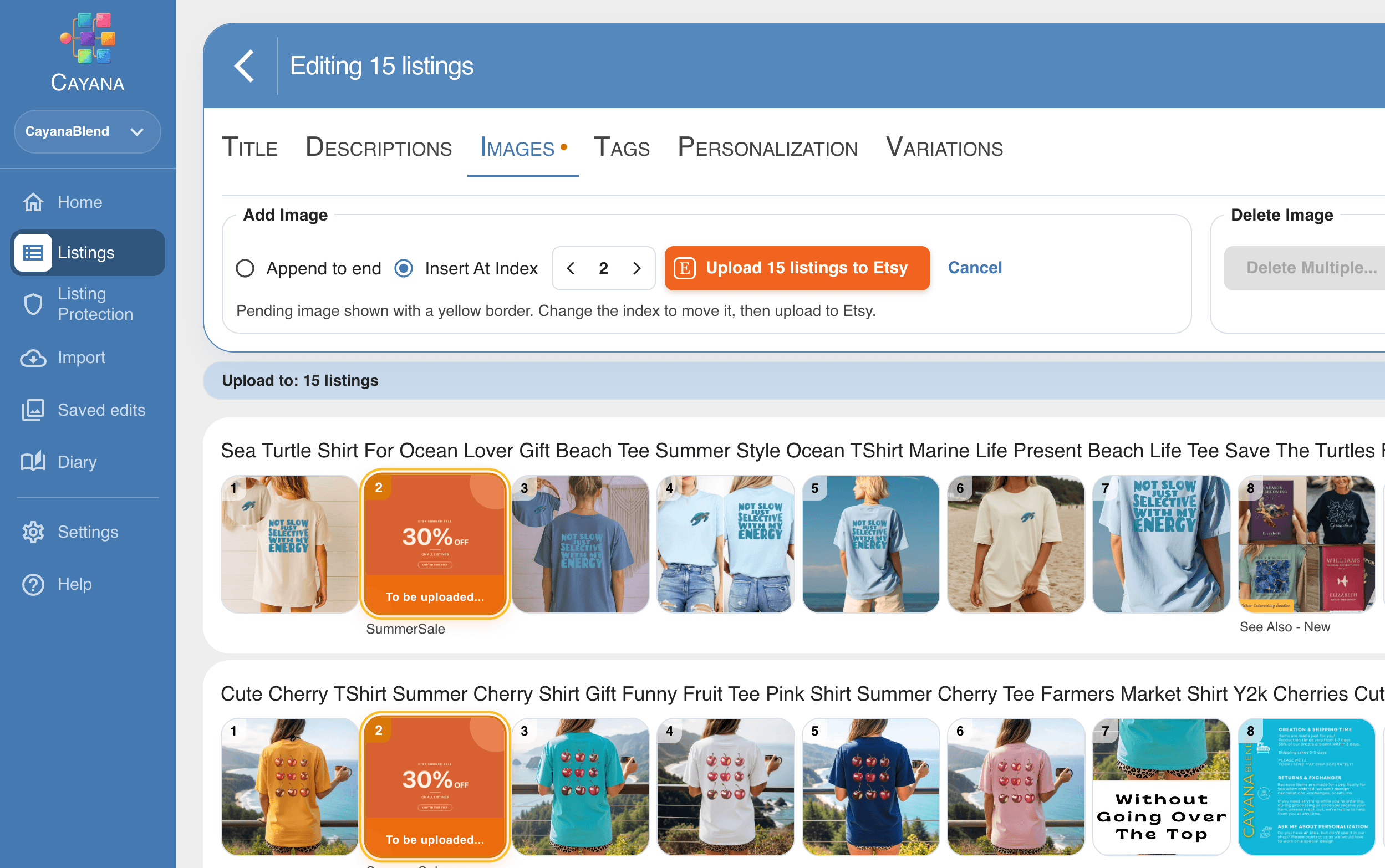
How to Bulk Edit Etsy Listings Safely: A Practical Guide
A calm, repeatable way to update many Etsy listings while protecting the details that make each one work.
Read article

Why I Started Cayana Studios
I built Cayana after experiencing the repetitive work of running an Etsy shop—and believing that listing management could feel clearer, calmer and safer.
Read article
Trying an Etsy Listing Tool Before You Subscribe
Looking for a Vela alternative you can try free? Here’s where I’d start with Cayana—and why I’d try it on five listings before anything else.
Read article