
Why I Started Cayana Studios
I built Cayana after experiencing the repetitive work of running an Etsy shop—and believing that listing management could feel clearer, calmer and safer.

In this article
Running an Etsy shop can be wonderfully creative. You develop an idea, work on the design, choose your products and imagine someone discovering what you have made.
Then comes the less creative part.
Titles, descriptions, tags, prices, variations, photographs, videos and size charts all need to be maintained. Before long, information is repeated across dozens—or hundreds—of listings. A simple change can turn into an afternoon of opening listings, copying text and trying to remember what has already been updated.
I knew that experience because I had run my own Etsy shop. I also knew, from many years working as a programmer, that software ought to make this kind of work easier.
That was the starting point for Cayana Studios.
A clearer place to work
My first goal was relatively straightforward: create a more agreeable way to manage Etsy listings.
Etsy is naturally centred on the marketplace—the buyer and the individual listing. Sellers, however, often need to look at their shop differently. They need to compare listings, find inconsistencies and make changes across several products without losing track of what they are doing.
I wanted Cayana to feel calmer than a spreadsheet and less intimidating than a large business-management system. It should give sellers a clear view of their work and make everyday tasks—such as changing prices, editing descriptions or managing listing images—more pleasant.
It should also feel safe. When a change affects many listings, the seller should understand exactly what is going to happen before anything is sent to Etsy. Convenience is valuable, but not if it creates anxiety about accidental changes.
The problem with repeating everything
As I worked on Cayana, I realised that bulk editing was only part of the problem.
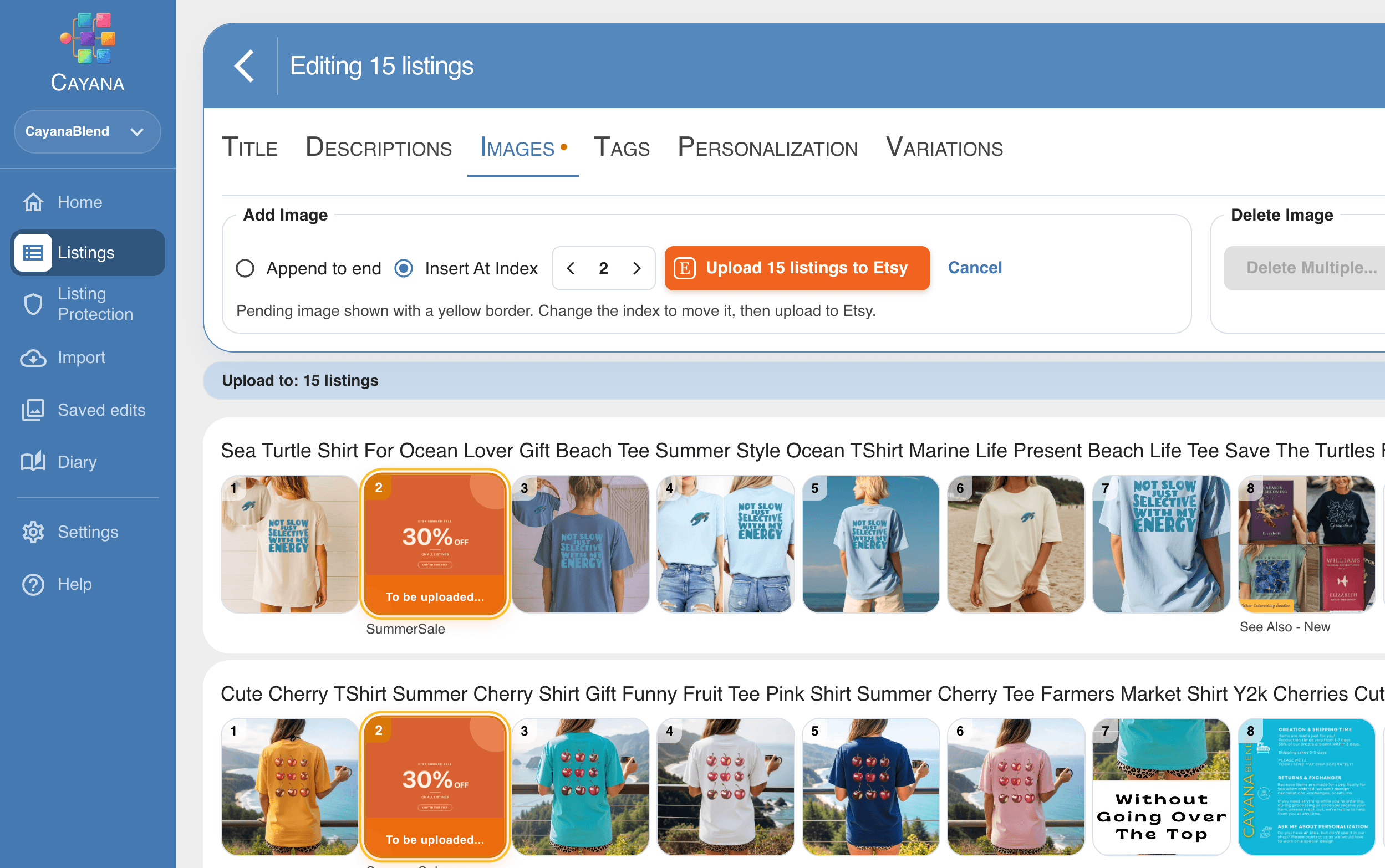
Suppose you have 80 listings that use the same size chart. A conventional bulk editor helps you replace that image across all 80 listings today. That is useful—but six months later, when the chart changes again, you have to repeat the operation.
The deeper problem is that those 80 listings are related, but Etsy does not really treat the shared image as one piece of content.
The same applies to descriptions. Shipping information, care instructions, social links, return information and product details are often repeated across many listings. If something changes, every copy can become outdated.
That led to the broader idea behind Cayana Studios:
Create something once, connect it to the appropriate listings and keep it synchronized over time.
Instead of merely helping with a one-time bulk edit, Cayana can become a control layer for the shop—a place where sellers can see which content is connected, missing or out of date.
That is the direction behind ideas such as Live Images, Live Descriptions, reusable content blocks, product types, themes and a media library.
Built for creative sellers
Many Etsy sellers did not start their businesses because they wanted to manage data. They started because they enjoyed designing, making, writing, photographing or finding interesting products.
The administrative work is necessary, but it should not take over.
That principle has influenced the way I design Cayana. I do not want it to feel like an enterprise tool reduced to fit a smaller business. Nor do I want to overwhelm sellers with features simply because they are technically possible.
The aim is to provide useful depth while keeping the ordinary experience approachable. A seller should be able to connect a shop, see the listings clearly and start making practical changes without first learning an elaborate system.
More advanced tools can be there when they are needed—but they should grow naturally from real problems.
More control, without more stress
Automation is only helpful when people can trust it.
If one description is connected to many listings, Cayana should show how many will be affected before it is changed. If images are going to be replaced, the seller should be able to review the result. If something is missing or out of sync, the app should make that visible.
The goal is not automation for its own sake. It is confidence.
I want sellers to feel that they understand their shop better when using Cayana: what is connected, what needs attention and what will happen when they press a button.
Starting with something genuinely useful
Cayana’s first public version focuses on the practical foundations: viewing and editing listings, making bulk changes, managing photos and videos, working with variations, and moving comfortably between shops.
I decided to make this available as a genuinely useful free version for shops with up to 100 active listings. It is not intended to be a demonstration that becomes frustrating after a few clicks. It is meant to help real sellers with real shops.
Cayana Studios will grow from that foundation. The more advanced version will explore the larger vision: reusable content, connected listings and a media library that understands how images and other assets are being used across a shop.
But the principle will remain the same.
Cayana should take away some of the burden and annoying repetition of running an Etsy shop. It should help sellers feel more organized and more in control—while leaving them with more time for the creative work that made them open their shop in the first place.
That is why I started Cayana Studios.
If the repetitive parts of running your shop sound familiar, you can try Cayana Essentials free for shops with up to 100 active listings. No credit card is required. You can also read my practical guide to bulk editing Etsy listings safely.
Related articles
A Small Etsy Shop Shouldn’t Need Another Subscription
Looking for a free Vela alternative? Here’s where I’d start with Cayana—and why I’d try it on five listings before anything else.
Read article
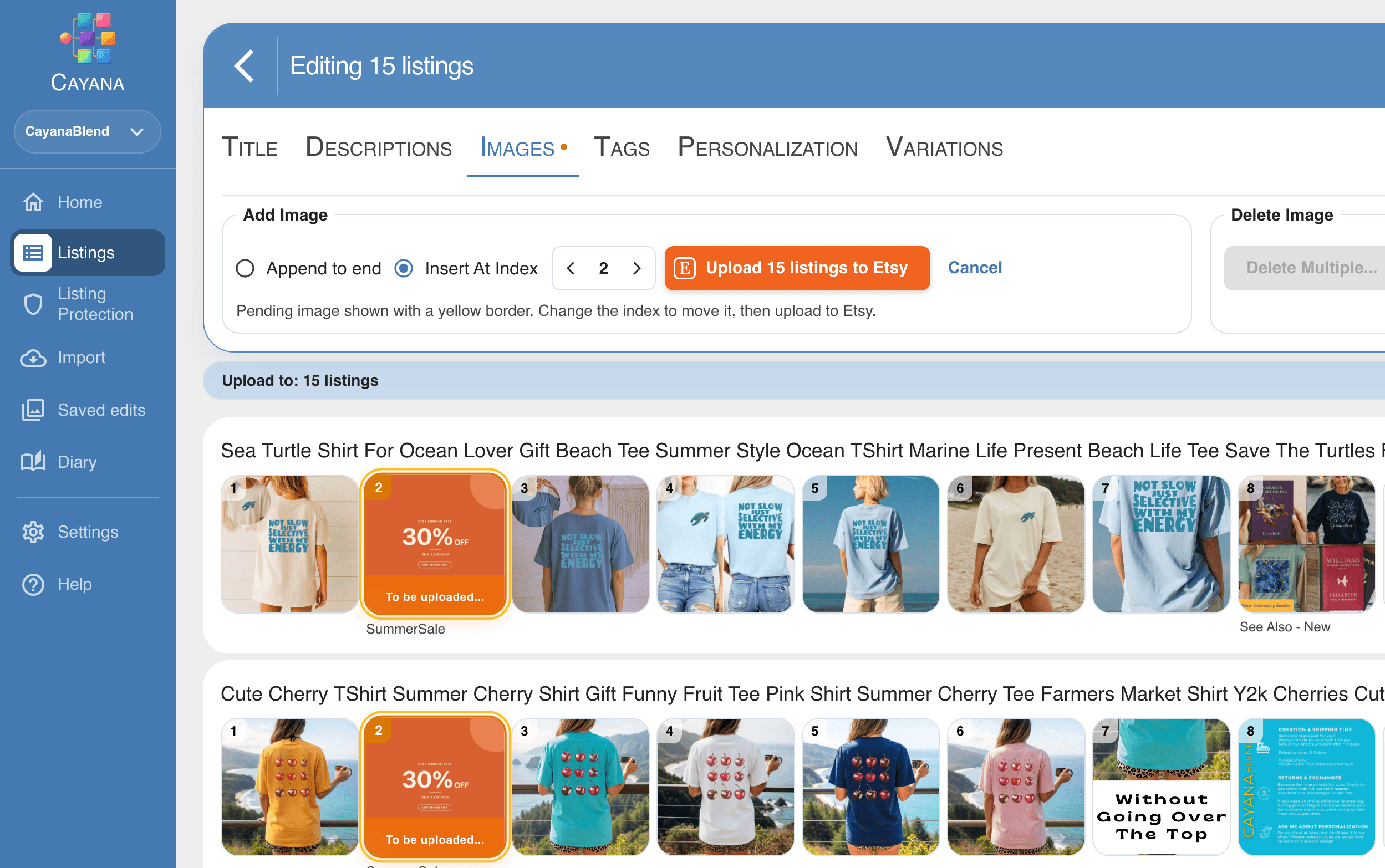
How to Bulk Edit Etsy Listing Images Without the Busywork
One promotional image. A whole collection of listings. Give your Etsy shop a seasonal refresh with Cayana’s clean, visual bulk editor.
Read article
How to Bulk Edit Etsy Listings Safely: A Practical Guide
A calm, repeatable way to update many Etsy listings while protecting the details that make each one work.
Read article